
Pre-release · Kansas & Texas permits · Android tablets first
Run your permit route.
Scan the QR code on your oversize/overweight permit and Route Pro reads it, checks it before you move, and runs the exact route the state assigned — turn by turn, leg by leg.
- The permit is the route — never changed
- Works offline once loaded
- Permits stay on the tablet
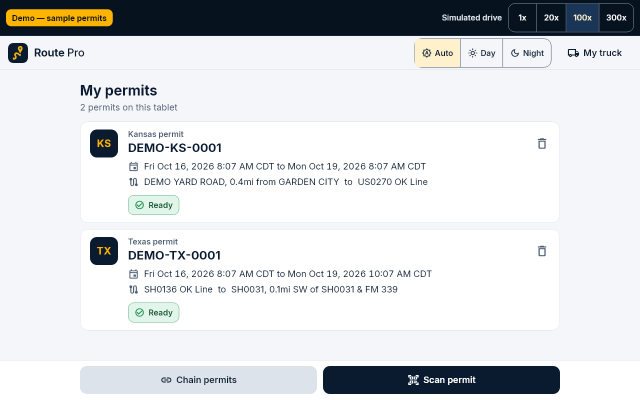
Pre-release software. Route Pro reads Kansas and Texas permits only so far, and it has not yet been field-tested on real loads. See exactly what works today.
From paper permit to the first turn in three steps.
The state already worked out your route. Route Pro reads it straight from the permit and keeps you on it.
-
Scan the permit
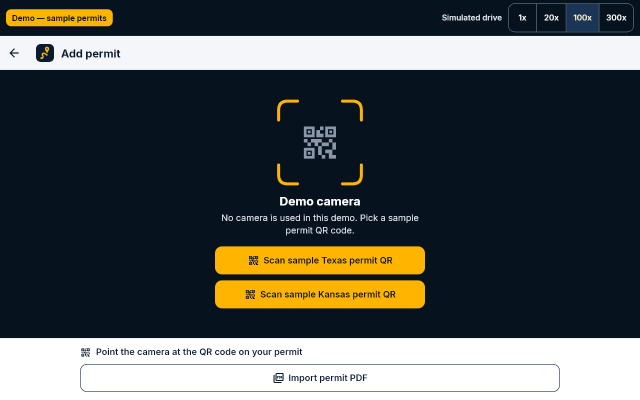
Point the tablet at the QR code on the permit, or import the permit PDF. Route Pro reads the dimensions, axle weights, route, curfews and validity — then shows you what it read so you can compare it with the paper before it is saved.
-
Check before you go
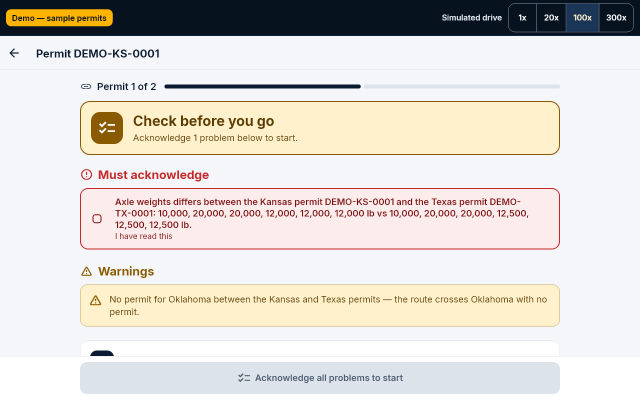
Before a run starts, Route Pro checks the permit against your truck and the clock, and checks a chain of permits across states for gaps and dimension or weight mismatches. Problems are spelled out in plain language.
-
Run the route
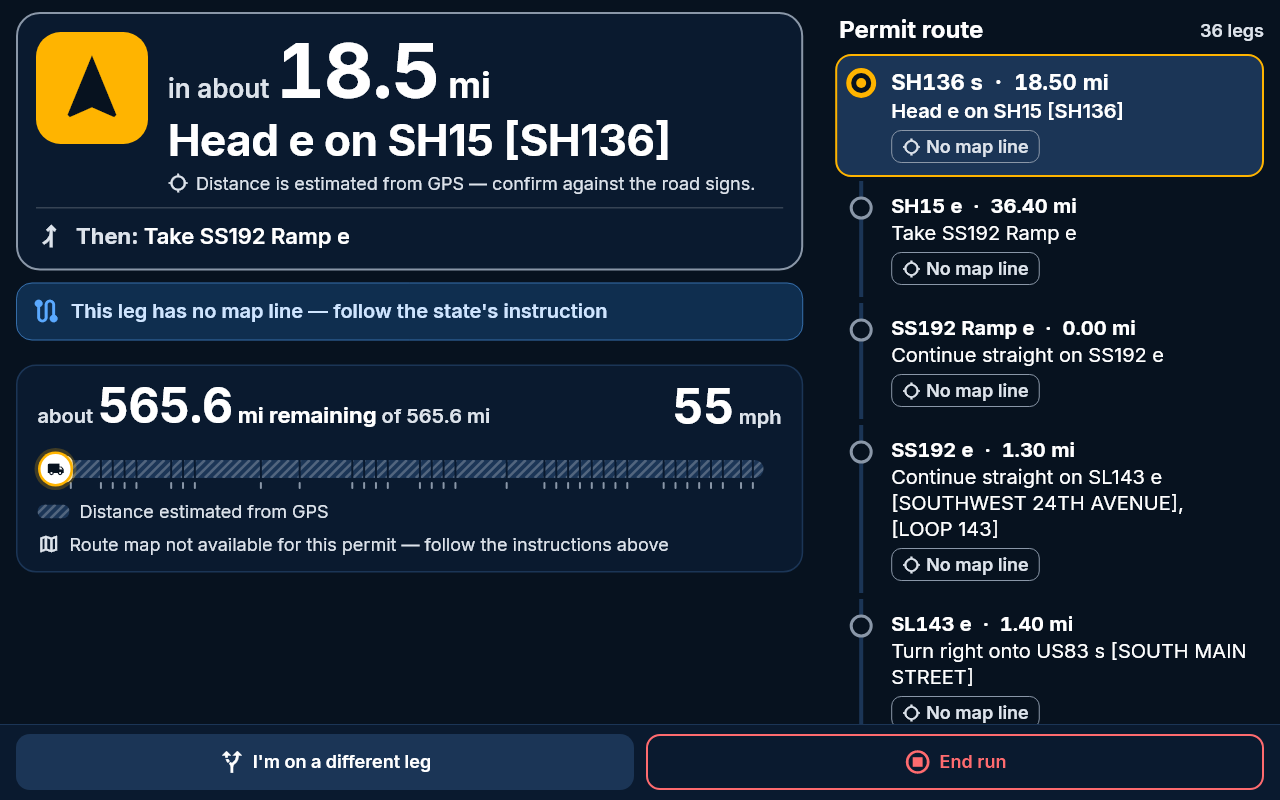
Drive the state's assigned route with one big next instruction, a progress ribbon and a leg-by-leg timeline. When you reach the end of one permit, Route Pro hands off to the next permit in the chain.
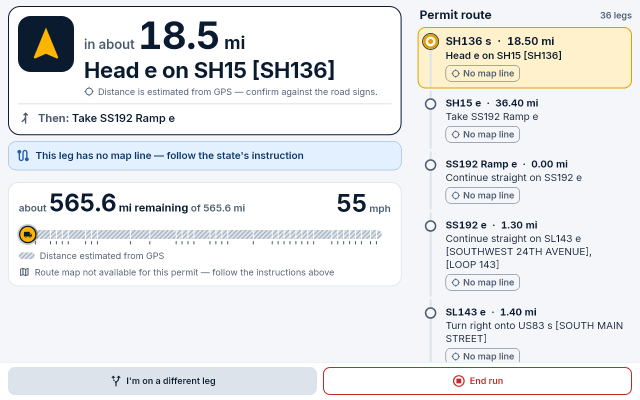


Built around the permit, not around a map.
Every feature below exists in the app now. Anything not built yet is listed under Status & roadmap.
-
Reads the permit for you
Texas permits are read from the permit QR code. Kansas permits are read from the permit PDF, because the Kansas QR carries only verification data.
-
You confirm what it read
Route Pro shows you everything it read so you can compare it with the paper permit. Nothing is saved until you confirm it matches.
-
Hard stops you can't click away
A run will not start on a permit that is expired, not yet valid, issued for a different truck, or has dates that can't be read.
-
Checks the whole chain
Load permits for several states and Route Pro warns about gaps — say, no Oklahoma permit between Kansas and Texas — and about dimension or weight mismatches.
-
The permit state's clock
Curfews, night-travel limits and validity windows follow the issuing state's rules, in that state's local time — not whatever time zone the tablet is in.
-
Warnings even without GPS
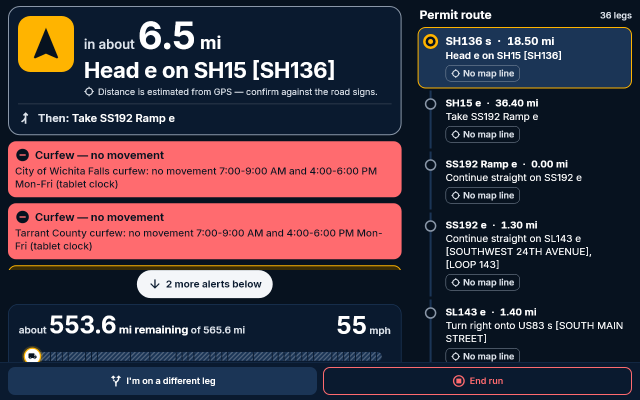
Curfew and expiry warnings come from the permit and the clock, so they still show up when the GPS signal drops.
-
Works offline
Once a permit is loaded, Route Pro runs it without a data connection — out where coverage runs out.
-
Your permits stay yours
Permits are stored encrypted on the tablet. The service that helps read a permit stores nothing.
Readable at a glance, day or night.
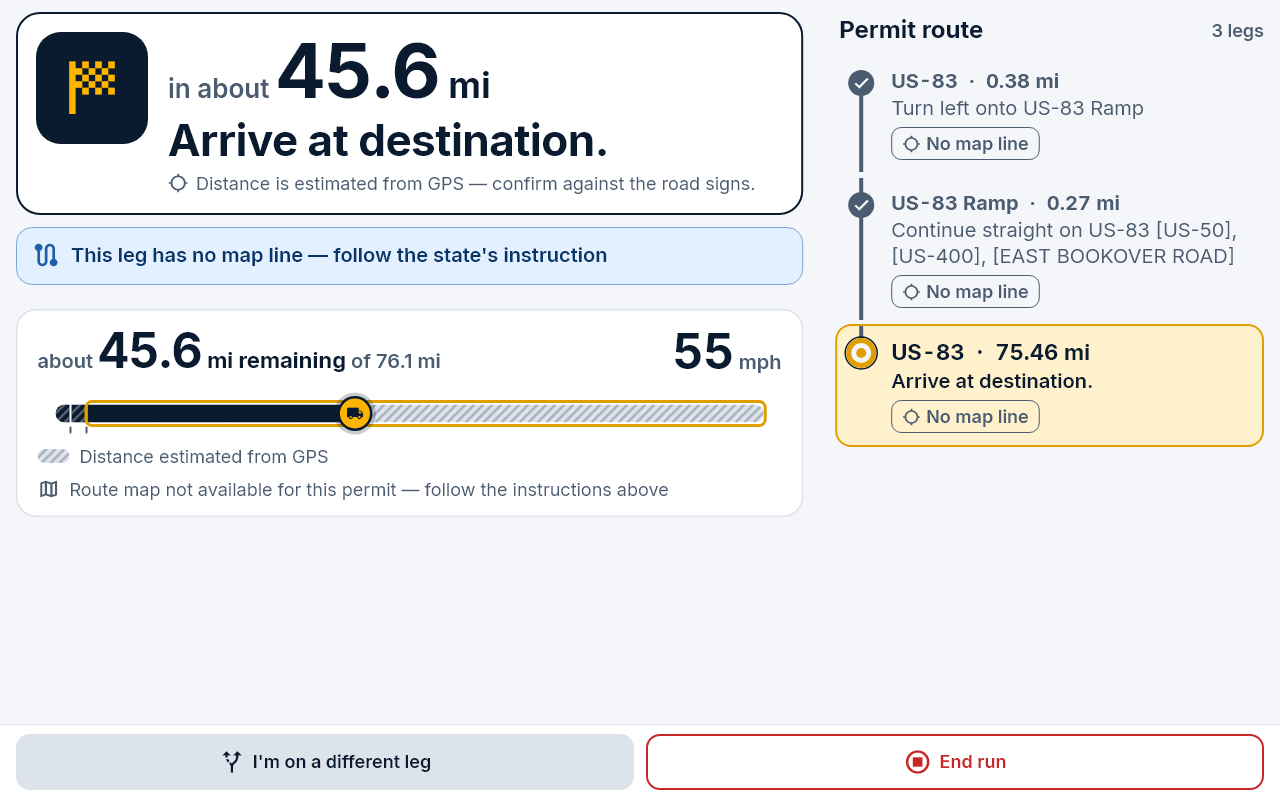
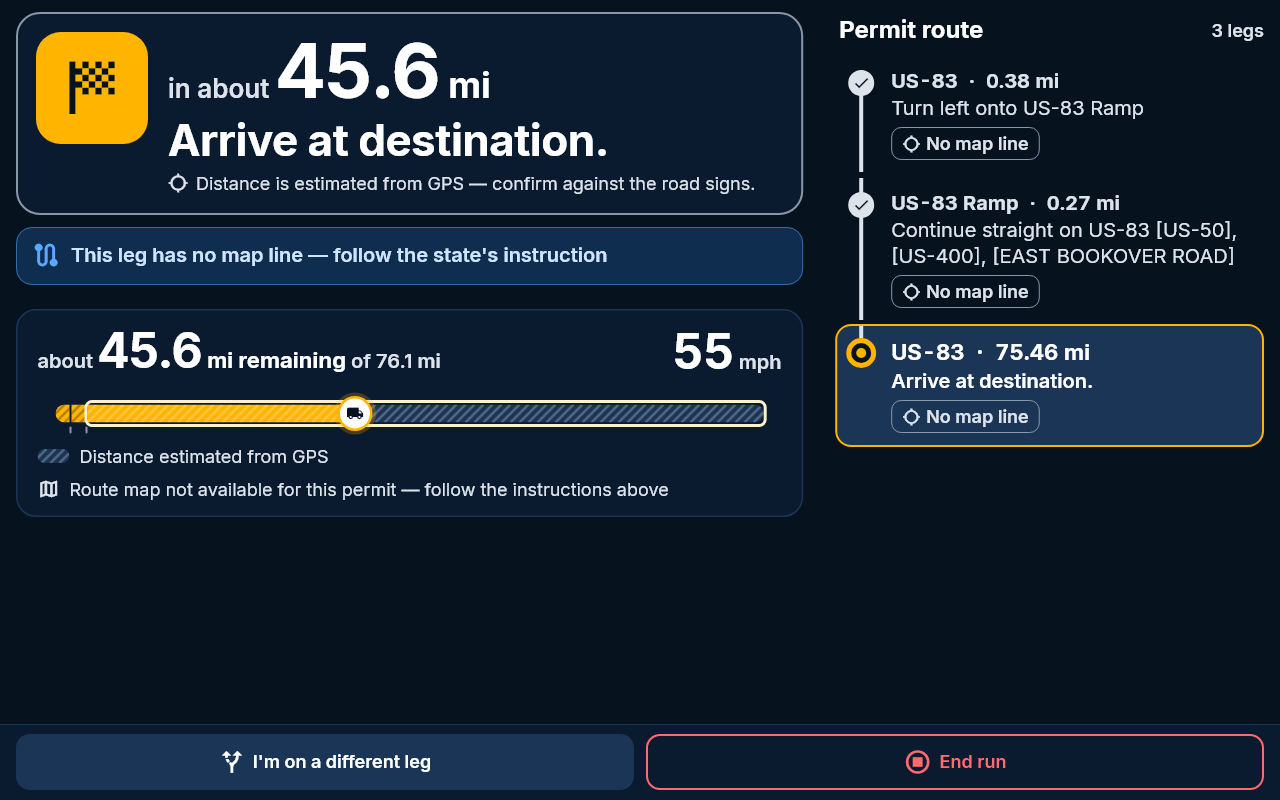
The driving screen is designed for a tablet on a mount: big type, big targets, and only what matters for the next mile.
- The next instruction, largeDistance and the permit's own wording for the next turn, with what comes after it.
- Progress ribbonMiles remaining across every leg of the permit at a glance.
- Leg-by-leg timelineDone, current and upcoming legs, so you always know where you are on the permit.
- Day and night themesA bright day theme and a dark night theme that won't light up the cab.
- Large touch targetsControls sized for a quick tap, not careful aiming.
The permit is the authority. Route Pro just helps you follow it.
Route Pro runs the route the state assigned. It never changes it, shortens it or swaps in a "better" one.
What Route Pro does
- Runs the permit's route as issued. The legs and instructions come from the permit.
- Blocks runs it shouldn't start. Expired, not-yet-valid, wrong-truck or unreadable-date permits are hard stops.
- Keeps the permit state's clock. Curfews, night travel and validity windows use the issuing state's local time.
- Keeps working offline. A loaded permit runs without signal, and curfew and expiry warnings work without GPS.
What it will never do
- Change or replace your route. No rerouting, no shortcuts, no "faster" alternatives.
- Replace your paper permit. Carry it. The paper permit and the state's rules always govern.
- Act as an ELD. It does not log hours of service.
- Give legal advice. It helps you follow the permit; it doesn't interpret the law.
Curfew and expiry warnings, with or without GPS.
Restrictions come straight from the permit and are checked against the permit state's local time. If the GPS signal drops, the curfew and expiry warnings keep coming.
Where Route Pro really is today.
No spin. This is pre-release software, and here is exactly what that means.
In the app now
Built for Android tablets, with Kansas and Texas permits.
- Texas permits from the QR code
- Kansas permits from the PDF
- Confirm the parsed permit before saving
- Hard stops on invalid permits
- Multi-state chain checks
- Curfew, night-travel and validity rules
- Warnings without GPS
- Offline once a permit is loaded
- Encrypted permit storage
- Day/night driving screen and hand-off
Not built yet
On the roadmap, in no promised order and with no dates.
- Route lines drawn on a map
- Off-route alerts
- Spoken prompts
- More states
- iPad
- Not yet field-tested on real loads
- Kansas and Texas only; Android first, iPad later
- No free (non-permit) truck navigation
- Not an ELD, and not legal advice
Try it in your browser.
The live demo runs the real app with two sample permits — one Kansas, one Texas — and a simulated drive you can speed up.
Try the live demoSample permits only. The demo uses no camera, no GPS and no server, and works best on a tablet or desktop screen.

Straight answers.
Does it replace my permit service?
No. You still get your permits the way you do today. Route Pro starts once you have the permit: it reads it and helps you run the route on it. Always carry the paper permit.
Does it reroute me?
Never. The permit is authoritative. Route Pro runs the route the state assigned and does not change, shorten or replace it. There is no free (non-permit) navigation mode.
Which states does it support?
Kansas and Texas so far. Texas permits are read from the permit QR code; Kansas permits from the permit PDF. More states are on the roadmap. If your chain crosses a state you have no permit for, Route Pro warns you about the gap.
Does it need cell signal?
Not to run a permit. Once a permit is loaded, Route Pro works offline, and curfew and expiry warnings work even without GPS. Reading a new permit may need a connection to the permit-reading service, which stores nothing.
Where is my permit data stored?
On your tablet, encrypted. The service that helps read a permit stores nothing. This website has no analytics or trackers.
Is it an ELD?
No. Route Pro does not log hours of service and is not an ELD. It is not legal advice either — the paper permit and the issuing state's rules always govern.